
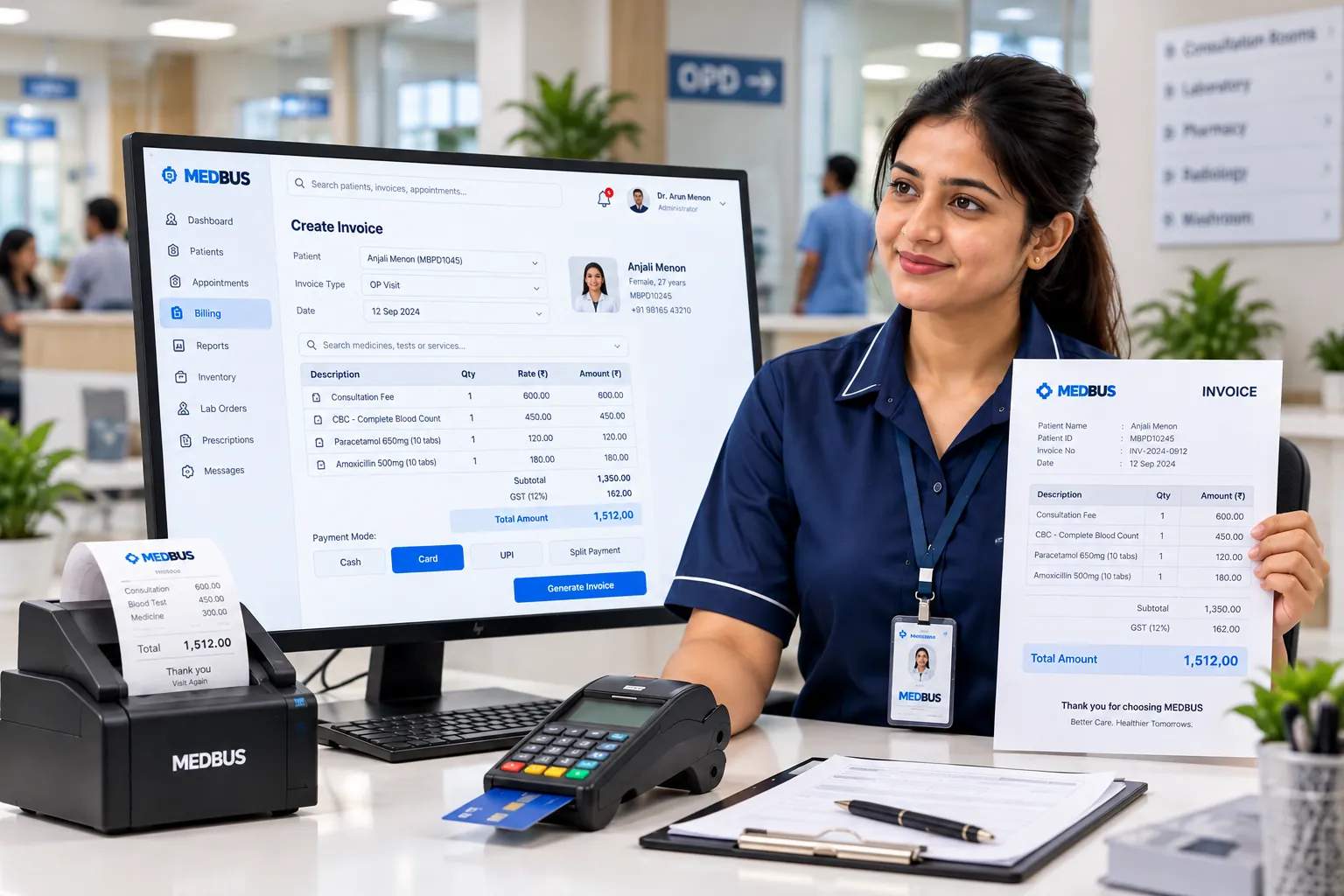
What is clinic billing software?
Clinic billing software creates invoices for consultations, procedures, tests, packages and pharmacy sales, records payments across modes, and tracks dues, discounts and refunds. Good clinic billing software takes charges directly from the patient visit, applies GST correctly and produces daily collection and tax reports automatically.
Explore the featuresKey takeaways
- No missed charges between departments
- Correct GST on every invoice
- Faster checkout at the front desk
- Discounts and refunds always accounted for
- Daily collection report that matches the drawer
What Medbus Billing & Invoicing does for your clinic
8 capabilities, all on the same patient record as the rest of Medbus.
-
Bills straight from the visit
Consultation, procedure, lab and pharmacy charges flow onto one bill — nothing is typed twice.
-
GST-compliant invoices
Tax applied per service, HSN/SAC codes on the invoice, and GST data ready for returns.
-
Every payment mode
UPI, cards, cash, net banking and split payments on one bill, with online payment links where configured.
-
Packages & service rates
Health-check, procedure and treatment packages with fixed rates, and rate cards by doctor or branch.
-
Discounts & approvals
Discount rules by role, with a reason recorded on every concession.
-
Refunds & credit notes
Partial or full refunds with a clean audit trail, never an edited invoice.
-
Outstanding & advance tracking
Advances, deposits and dues per patient, with reminders for unpaid balances.
-
Insurance & TPA billing
Insurer and TPA details on the bill, with claim documents kept alongside, on plans that include it.
Billing & Invoicing in Medbus, step by step
-
1
Services added
Consultation, tests, procedures and medicines are added to the bill as they happen.
-
2
Invoice raised
GST is applied and a numbered invoice is generated in one click.
-
3
Payment collected
UPI, card, cash or split — or a payment link sent to the patient.
-
4
Day closed
Collection, GST and outstanding reports reconcile the day automatically.

Why manual clinic billing leaks revenue
When billing is separate from the consultation, charges get missed, discounts go unrecorded and the day's cash never quite matches the register. Billing that is built into the patient visit captures every service, applies tax consistently, and gives the owner a collection report that can be trusted.
- No missed charges between departments
- Correct GST on every invoice
- Faster checkout at the front desk
- Discounts and refunds always accounted for
- Daily collection report that matches the drawer
How Medbus makes Billing & Invoicing better
-
Every service billed
Charges come from the visit, so procedures and tests are not forgotten.
-
Shorter billing queues
One-click invoices and UPI payments clear the counter faster.
-
Clean tax data
GST reports are ready for your accountant at month end.
-
Dues under control
Outstanding balances are visible and chased, not discovered later.
How you can customise Billing & Invoicing
Set up for your clinic during onboarding — no custom development, and you can change it later.
-
Services & rate cards
Your services, packages and rates by doctor or branch.
-
GST settings
Tax per service, HSN/SAC codes and invoice numbering.
-
Discount limits
Who can give discounts, how much, and with what reason.
-
Invoice design
Your logo, address, GST details and terms on every invoice.
-
Payment modes
The modes you accept, including online payment links.
Works with the rest of Medbus
One patient record, every module connected- Payment Gateway Integration A payment gateway integration connects clinic software to a payment provider such as Razorpay or Stripe, so patients c... Learn more
- Accounts Management Clinic accounting software records a practice's income and expenses, doctor and staff payouts, vendor payments and ban... Learn more
- MIS & Tax Reports Clinic MIS (management information system) reports summarise a clinic's operations and finances for decision-making: p... Learn more
Frequently asked questions
Billing & Invoicing FAQIs Medbus billing software GST compliant?
Which payment modes does Medbus clinic billing support?
Can we create packages and fixed-rate services?
Does Medbus handle insurance and TPA billing?
How are refunds and discounts controlled?
Can billing be done separately for each branch?
Last updated . Capabilities marked * or "where configured" depend on your plan, region and the modules enabled for your clinic.
See Medbus Billing & Invoicing in action
Book a free walkthrough with a Medbus specialist. Tell us how your clinic works today and we will show you billing & invoicing running on your own services, doctors and branches — along with the modules it connects to — before you choose a plan.
- No obligation, no setup fee
- A walkthrough of your specialty
- Reply within one working day
- Free onboarding and migration

Request your free demo
Tell us about your clinic — we'll set up a walkthrough around it.