
Clinic Front Desk & Reception Software Registration, Tokens & Billing in Seconds
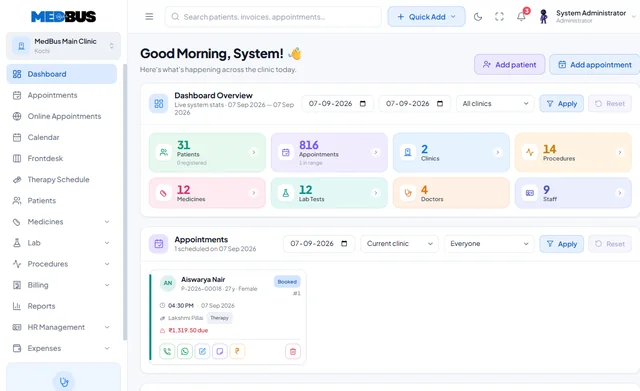
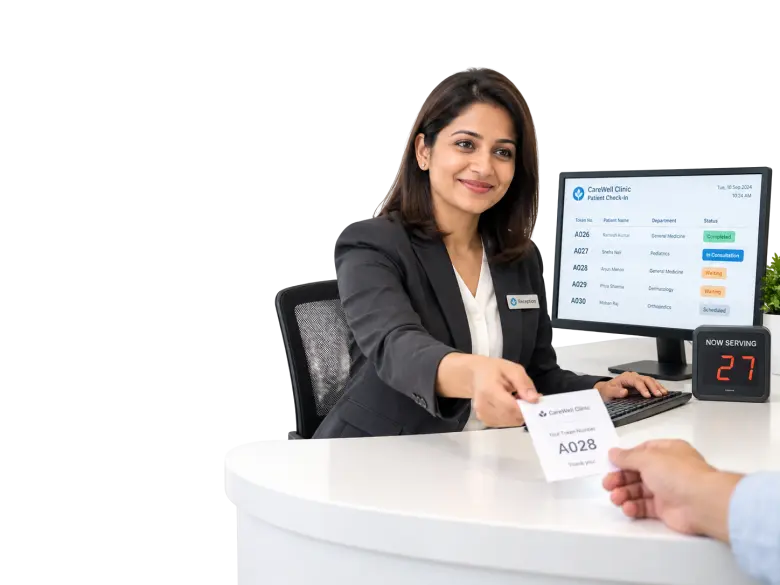
The Medbus front desk screen handles everything a receptionist does in a day: find or register a patient in seconds, book and reschedule appointments, issue tokens, take payments by UPI, card or cash and handle walk-ins and emergencies — without opening clinical records they do not need.
- Find or register patients fast
- Appointments & rescheduling
- Token & queue management
- Fee collection & receipts
- Free personalised demo
- No setup fee
- Onboarding & data migration included
What is clinic front desk software?
Clinic front desk software is the receptionist's workspace: patient registration and search, appointment booking, token and queue management, fee collection and receipts, and walk-in handling. It speeds up check-in and keeps the waiting room organised while restricting access to clinical notes.
Explore the featuresKey takeaways
- Check-in in under a minute
- A queue patients can see and trust
- Faster payments, no change hunting
- Fewer phone calls about appointments
- No access to clinical notes
What Medbus Front Desk & Reception does for your clinic
8 capabilities, all on the same patient record as the rest of Medbus.
-
Patient registration & search
Find a returning patient by name, phone or ID, or register a new one with only the essentials.
-
Appointment booking & rescheduling
Every doctor's calendar on one screen; move or cancel in two clicks.
-
Token & queue management
One queue per doctor for booked and walk-in patients, with an optional waiting-room display.
-
Fee collection & receipts
Consultation fees and bills by UPI, card, cash or split payment, with instant receipts.
-
Walk-in & emergency intake
Add an urgent case to the queue and alert the doctor without disrupting the day.
-
Basic patient view
Contact details, visits and dues — without clinical notes the front desk does not need.
-
Reminders & confirmations
Booking confirmations and reminders go out automatically, so fewer calls come in.
-
Day-end collection
A collection summary by payment mode to close the counter at the end of the day.
Front Desk & Reception in Medbus, step by step
-
1
Patient arrives
Found in seconds, or registered with only what is needed.
-
2
Token issued
The patient joins the right doctor's queue.
-
3
Fee collected
Paid by UPI, card or cash with a receipt.
-
4
Next visit booked
The review appointment is booked before they leave.
Why the front desk sets the tone for the whole clinic
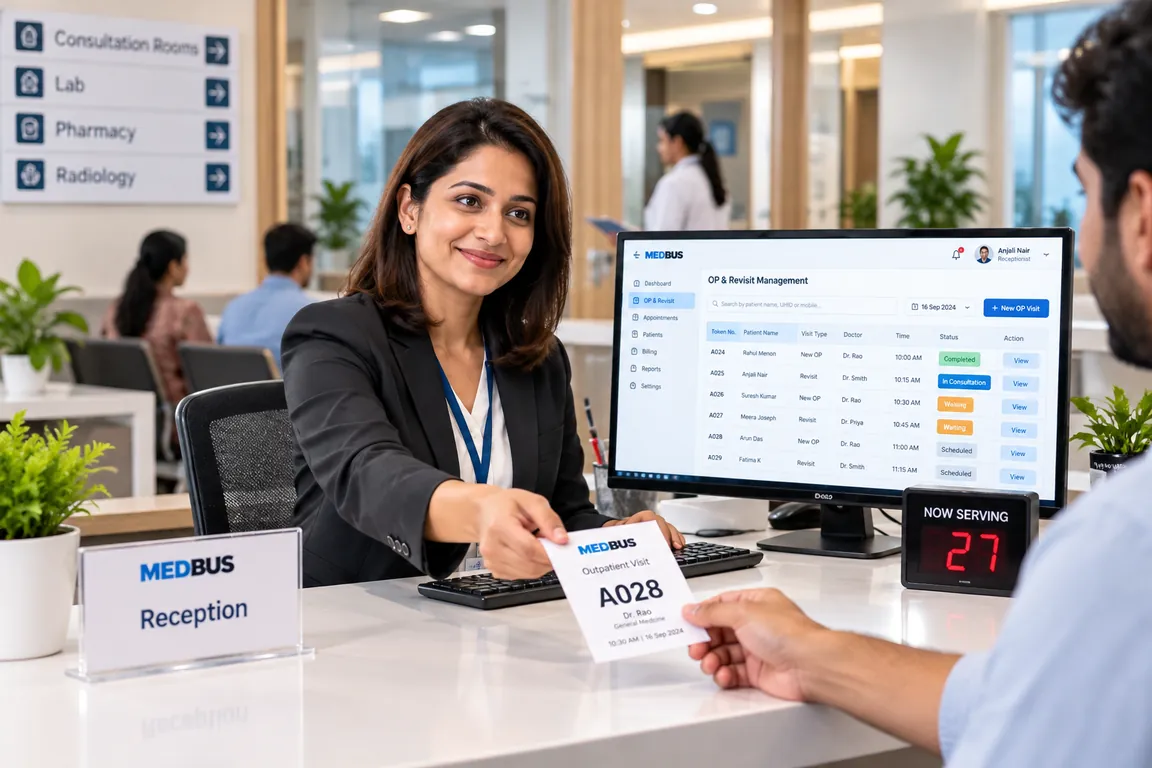
The front desk is the first and last thing every patient experiences. When registration is slow, the queue unclear and payments manual, the whole clinic feels disorganised. A front-desk screen that does everything in a few clicks keeps the waiting room calm and the receptionist in control.
- Check-in in under a minute
- A queue patients can see and trust
- Faster payments, no change hunting
- Fewer phone calls about appointments
- No access to clinical notes
How Medbus makes Front Desk & Reception better
-
Shorter queues
Returning patients are found, not re-registered.
-
Calmer waiting room
Tokens and displays show who is next.
-
Faster checkout
UPI and card payments with instant receipts.
-
Fewer no-shows
Reminders go out without anyone dialling.
How you can customise Front Desk & Reception
Set up for your clinic during onboarding — no custom development, and you can change it later.
-
Registration fields
Only the details your clinic needs — add fields like referral source or insurance, hide the rest.
-
Token rules
Per doctor or department, with prefixes and a waiting-room display in your branding.
-
Fees & services at the counter
Your consultation fees, packages and services, with discount limits by role.
-
Receipt & ID card design
Your logo, address and GST details on every receipt and patient card.
-
What reception can see
Role permissions keep clinical notes and owner reports out of the front-desk view.
Works with the rest of Medbus
One patient record, every module connected- Appointments & Scheduling Clinic appointment scheduling software manages doctor availability, patient bookings, walk-ins and waiting queues in o... Learn more
- OP & Revisit Management OP (outpatient) management software handles everything about a clinic visit that does not involve admission: patient r... Learn more
- Billing & Invoicing Clinic billing software creates invoices for consultations, procedures, tests, packages and pharmacy sales, records pa... Learn more
Frequently asked questions
Front Desk & Reception FAQWhat can the front desk do in Medbus?
Can receptionists see patient clinical notes?
Does Medbus support token numbers and a queue display?
How fast is patient registration?
Which payment modes can the front desk accept?
Can the front desk close the day in Medbus?
Last updated . Capabilities marked * or "where configured" depend on your plan, region and the modules enabled for your clinic.
See Medbus Front Desk & Reception in action
Book a free walkthrough with a Medbus specialist. Tell us how your clinic works today and we will show you front desk & reception running on your own services, doctors and branches — along with the modules it connects to — before you choose a plan.
- No obligation, no setup fee
- A walkthrough of your specialty
- Reply within one working day
- Free onboarding and migration

Request your free demo
Tell us about your clinic — we'll set up a walkthrough around it.