
Nursing Management Software Vitals, Charts, Medication & Handover
Medbus gives nurses and clinical staff their own workspace: record vitals in seconds, keep nursing and progress notes, chart every medication given, read the doctor's instructions and hand over cleanly at the end of every shift — on the same record the doctor uses.
- Vitals in seconds
- Nursing & progress notes
- Medication administration records
- Shift handover notes
- Free personalised demo
- No setup fee
- Onboarding & data migration included
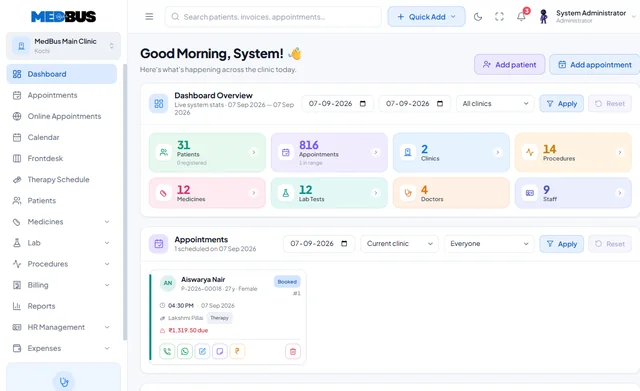
What is nursing management software?
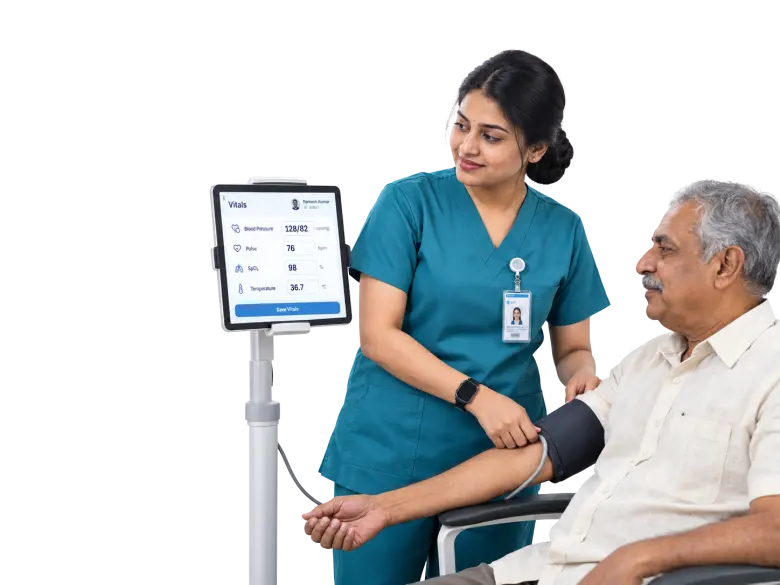
Nursing management software lets nurses record vitals, nursing and progress notes, medication administration and shift handovers digitally, on the same patient record as the doctor. It replaces paper charts with a timed, legible record that shows who did what and when.
Explore the featuresKey takeaways
- Vitals reach the doctor instantly
- Every medication accounted for
- No details lost at shift change
- Legible, timed nursing records
- Less time on paperwork, more on patients
What Medbus Nurse & Clinical Staff does for your clinic
8 capabilities, all on the same patient record as the rest of Medbus.
-
Patient vitals
BP, pulse, temperature, SpO₂, weight and more, with trends the doctor sees immediately.
-
Nursing & progress notes
A running, timed record of observations and care that the whole team can trust.
-
Medication administration record
Who gave which medicine, at what dose and when — charted against the prescription.
-
Doctor's instructions view
Read-only access to the treatment plan and orders, so nothing is lost in translation.
-
IPD & day-care workflows
Admission checks, ward rounds support and discharge preparation.
-
Shift handover notes
Structured handover per patient, so the next shift starts informed.
-
Alerts & flags
Allergies, high-risk patients and pending tasks highlighted on the patient list.
-
Role-based access
Nurses see clinical information they need, without access to billing or owner reports.
Nurse & Clinical Staff in Medbus, step by step
-
1
Vitals recorded
The nurse records vitals; they appear on the doctor's screen.
-
2
Orders followed
The doctor's instructions are visible as a read-only plan.
-
3
Care charted
Medications and nursing notes recorded with time and name.
-
4
Shift handed over
Structured notes carry every patient to the next shift.

Why clinical staff need their own workspace
Paper vitals charts, medication sheets and handover notebooks are where errors and gaps hide — a missed dose, an illegible reading, a detail lost at shift change. A nursing workspace on the shared record makes every observation timed, named and visible to the doctor straight away.
- Vitals reach the doctor instantly
- Every medication accounted for
- No details lost at shift change
- Legible, timed nursing records
- Less time on paperwork, more on patients
How Medbus makes Nurse & Clinical Staff better
-
Faster OPD flow
Vitals are ready when the doctor opens the consult.
-
Safer medication
Every dose charted against the prescription.
-
Clean handovers
The next shift knows exactly where things stand.
-
Audit-ready records
Who did what, and when, for every patient.
How you can customise Nurse & Clinical Staff
Set up for your clinic during onboarding — no custom development, and you can change it later.
-
Vitals you record
Choose which readings to capture by specialty — growth for paediatrics, fetal heart rate for obstetrics, pain score for physiotherapy.
-
Nursing note templates
Structured forms for admission, rounds and discharge, built with the custom module builder.
-
Handover format
The headings your team uses at shift change, per ward or department.
-
Who sees what
Role permissions so nurses see clinical detail but not billing or owner reports.
-
Alerts that matter to you
Flags for allergies, high-risk patients or overdue tasks on the patient list.
Works with the rest of Medbus
One patient record, every module connected- IP Management IPD (in-patient department) management software handles patients admitted to a clinic or hospital: admission, bed and... Learn more
- Doctor Module Doctor consultation software is the doctor's workspace in a clinic system Learn more
- Electronic Medical Records (EMR) EMR (electronic medical records) software replaces paper case files with a digital patient record Learn more
Frequently asked questions
Nurse & Clinical Staff FAQWhat can nurses do in Medbus?
Can doctors see the vitals nurses record?
Does Medbus keep a medication administration record?
Can we customise the vitals and nursing forms?
Is the nursing module only for hospitals with beds?
Can nurses change prescriptions or bills?
Last updated . Capabilities marked * or "where configured" depend on your plan, region and the modules enabled for your clinic.
See Medbus Nurse & Clinical Staff in action
Book a free walkthrough with a Medbus specialist. Tell us how your clinic works today and we will show you nurse & clinical staff running on your own services, doctors and branches — along with the modules it connects to — before you choose a plan.
- No obligation, no setup fee
- A walkthrough of your specialty
- Reply within one working day
- Free onboarding and migration

Request your free demo
Tell us about your clinic — we'll set up a walkthrough around it.