
What is email integration in clinic software?
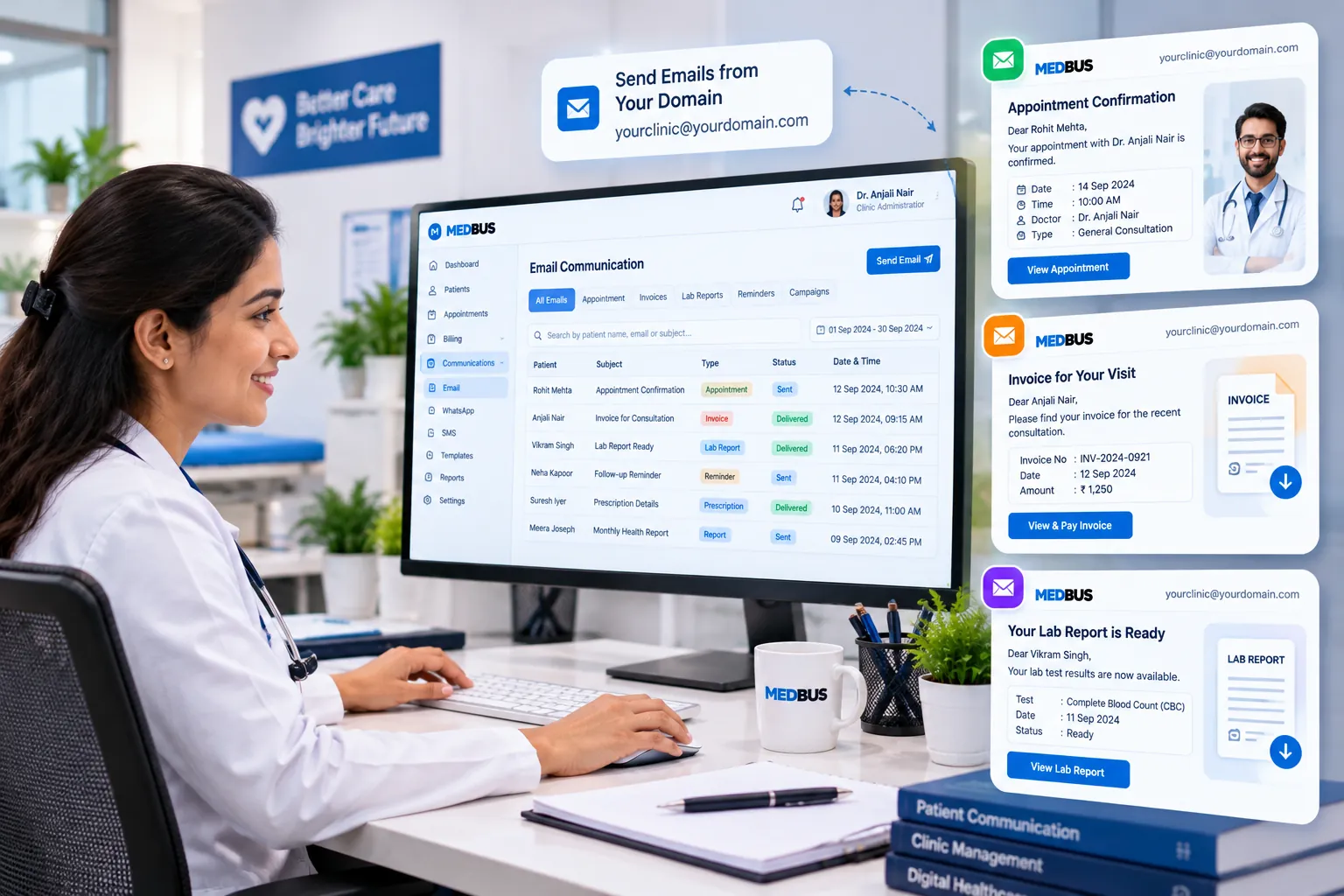
Email integration connects clinic software to an email service so messages are sent automatically when something happens — an appointment is booked, a bill is raised or a report is verified. Emails go from the clinic's own address with branded templates and attachments, and each one is logged on the patient's record.
Explore the featuresKey takeaways
- Invoices and reports sent the moment they are ready
- A professional sender address on every email
- No manual attaching of PDFs
- Patients have records for insurance and employers
- A log of everything sent
What Medbus Email Integration does for your clinic
8 capabilities, all on the same patient record as the rest of Medbus.
-
Your own domain
Emails come from your clinic's address — reports@yourclinic.in — not a generic sender.
-
Outlook & SMTP
Connect Microsoft Outlook or any SMTP mailbox for transactional patient emails.
-
Booking confirmations & reminders
Sent automatically with date, time, doctor, location and a map link.
-
Invoices & receipts
GST invoices and payment receipts attached as PDF when a bill is raised or paid.
-
Lab reports & prescriptions
Verified reports and e-prescriptions delivered to the patient's inbox.
-
Branded templates
Your logo, colours and signature on every email, editable in Settings.
-
Brevo & Mailchimp campaigns
Sync consented patients to Brevo or Mailchimp for newsletters and health campaigns.
-
Email log
Every email recorded on the patient record with its send status.
Email Integration in Medbus, step by step
-
1
Connect a mailbox
Add Outlook or SMTP details for your clinic domain.
-
2
Brand the templates
Set logo, colours and wording for each email type.
-
3
Events send emails
Bookings, bills and reports trigger the right email.
-
4
Track & resend
See what was sent and resend from the patient record.

Why clinics should automate patient emails
Patients, insurers and employers often need invoices and reports by email — and copying them from a desktop folder into a personal inbox is slow and risky. Automated email from your own domain sends the right document to the right patient every time, and keeps a record that it was sent.
- Invoices and reports sent the moment they are ready
- A professional sender address on every email
- No manual attaching of PDFs
- Patients have records for insurance and employers
- A log of everything sent
How Medbus makes Email Integration better
-
Less admin
Documents email themselves when they are ready.
-
Fewer requests
Patients stop calling for copies of bills and reports.
-
Stronger brand
Every email carries the clinic's name and design.
-
Safer sharing
Documents go only to the address on the record.
How you can customise Email Integration
Set up for your clinic during onboarding — no custom development, and you can change it later.
-
Sending address
Send from your own domain through Outlook or SMTP.
-
Email templates
Logo, colours and wording for each email type.
-
Automatic sends
Choose which documents email themselves when ready.
-
Campaign tools
Connect Brevo or Mailchimp for newsletters.
-
Consent
Marketing emails only to patients who agreed.
Works with the rest of Medbus
One patient record, every module connected- WhatsApp API Integration WhatsApp Business API integration lets clinic software send messages automatically from the clinic's own verified What... Learn more
- CRM & Patient Engagement Patient engagement software keeps a clinic in touch with patients between visits Learn more
- Laboratory Management A laboratory information system manages a lab's workflow: test orders, sample collection and barcoding, result entry a... Learn more
Frequently asked questions
Email Integration FAQCan Medbus send emails from our clinic's own email address?
Which email services does Medbus integrate with?
Can lab reports and prescriptions be emailed automatically?
Can we customise the email templates?
What patient data is shared with Brevo or Mailchimp?
Is email integration included in every plan?
Last updated . Capabilities marked * or "where configured" depend on your plan, region and the modules enabled for your clinic.
See Medbus Email Integration in action
Book a free walkthrough with a Medbus specialist. Tell us how your clinic works today and we will show you email integration running on your own services, doctors and branches — along with the modules it connects to — before you choose a plan.
- No obligation, no setup fee
- A walkthrough of your specialty
- Reply within one working day
- Free onboarding and migration

Request your free demo
Tell us about your clinic — we'll set up a walkthrough around it.