
Insurance & TPA Claims Management Software Pre-Authorisation to Settlement
Medbus keeps every insurance and TPA case in one place: payer rates and rules, pre-authorisation status, cashless and reimbursement bills, the documents each payer asks for, and claim status and ageing — so clinics chase what is stuck instead of what is already paid.
- Payer & TPA masters
- Pre-authorisation tracking
- Cashless & reimbursement
- Claim status & ageing
- Free personalised demo
- No setup fee
- Onboarding & data migration included
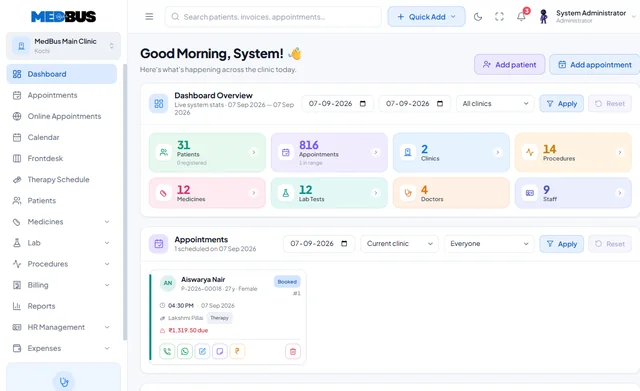

What is insurance and TPA claims management software?
Insurance and TPA claims management software tracks every insured patient's case from pre-authorisation through billing, document submission and settlement. It stores payer-specific rates and rules, keeps claim documents together and reports which claims are pending, delayed or settled.
Explore the featuresKey takeaways
- Fewer queried and rejected claims
- Faster settlement follow-up
- Correct payer rates on every bill
- Documents always with the claim
- Clear view of money pending by payer
What Medbus Insurance & TPA Claims does for your clinic
8 capabilities, all on the same patient record as the rest of Medbus.
-
Insurer & TPA masters*
Rates, packages and rules per payer, applied automatically on the bill.
-
Pre-authorisation tracking
Know what is approved, pending or queried before treatment.
-
Cashless & reimbursement flows
Both routes in one process, with the insurer and patient shares separated.
-
Claim document management
Every attachment the payer asks for, kept with the case.
-
Claim status tracking
Submitted, queried, approved, settled or rejected — at a glance.
-
Ageing reports
Claims by age and payer, so follow-up goes where money is stuck.
-
Payer-wise settlement view
Which insurers and TPAs pay on time, and which do not.
-
Deductions & short payments
Record deductions against each claim to see what was not paid and why.
Insurance & TPA Claims in Medbus, step by step
-
1
Case registered
Insurer, TPA and policy recorded with the visit or admission.
-
2
Pre-auth tracked
Requested amounts and approvals recorded against the case.
-
3
Bill & documents
Insurer and patient shares billed, documents attached.
-
4
Settlement followed
Status and ageing tracked until the claim is closed.
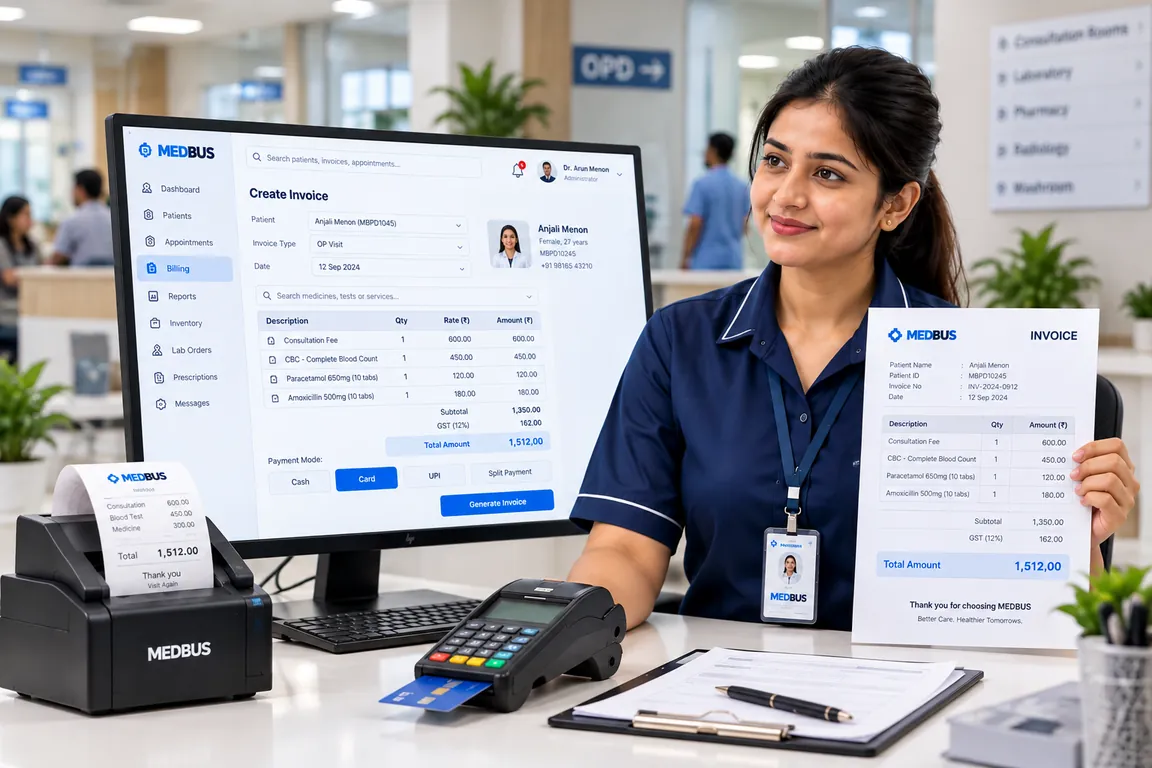
Why insurance billing needs its own workflow
Insurance revenue is often the largest and slowest money a clinic or hospital earns. When pre-authorisations, documents and claim statuses live in emails and spreadsheets, claims are delayed, queried or short-paid. One workflow per case keeps everything a payer needs together and shows exactly what to chase.
- Fewer queried and rejected claims
- Faster settlement follow-up
- Correct payer rates on every bill
- Documents always with the claim
- Clear view of money pending by payer
How Medbus makes Insurance & TPA Claims better
-
Faster settlements
Ageing reports show which claims to chase first.
-
Fewer rejections
Complete documents and correct rates first time.
-
Clean patient bills
Insurer and patient shares separated clearly.
-
Payer insight
See which insurers pay slowly or deduct most.
How you can customise Insurance & TPA Claims
Set up for your clinic during onboarding — no custom development, and you can change it later.
-
Your payers & rates
Insurer and TPA masters with negotiated rates and packages.
-
Document checklists
The documents each payer requires, so nothing is missed at submission.
-
Claim statuses
Stages that match how your billing team works.
-
Approvals & limits
Who can create, edit and submit claims, by role.
-
Reports for your accounts team
Ageing buckets and payer views exported to Excel.
Works with the rest of Medbus
One patient record, every module connected- Billing & Invoicing Clinic billing software creates invoices for consultations, procedures, tests, packages and pharmacy sales, records pa... Learn more
- IP Management IPD (in-patient department) management software handles patients admitted to a clinic or hospital: admission, bed and... Learn more
- Accounts Management Clinic accounting software records a practice's income and expenses, doctor and staff payouts, vendor payments and ban... Learn more
Frequently asked questions
Insurance & TPA Claims FAQWhat does insurance and TPA management in Medbus include?
Can Medbus handle cashless and reimbursement claims?
Does Medbus submit claims to insurers automatically?
Can we track which claims are delayed?
Which plan includes insurance and TPA billing?
Can we record deductions and short payments?
Last updated . Capabilities marked * or "where configured" depend on your plan, region and the modules enabled for your clinic.
See Medbus Insurance & TPA Claims in action
Book a free walkthrough with a Medbus specialist. Tell us how your clinic works today and we will show you insurance & tpa claims running on your own services, doctors and branches — along with the modules it connects to — before you choose a plan.
- No obligation, no setup fee
- A walkthrough of your specialty
- Reply within one working day
- Free onboarding and migration

Request your free demo
Tell us about your clinic — we'll set up a walkthrough around it.