
Patient Portal Software Records, Reports & Receipts for Your Patients
The Medbus patient portal gives your patients secure access to their own prescriptions, reports and receipts, their upcoming appointments and teleconsultation links, and reminders — so they stop calling the clinic for copies and arrive prepared.
- Prescriptions & reports online
- Teleconsultation links
- Reminders & notifications
- Receipts to download
- Free personalised demo
- No setup fee
- Onboarding & data migration included
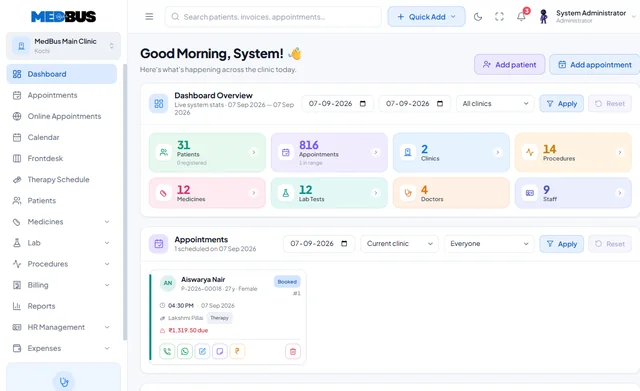

What is a patient portal?
A patient portal is a secure online space where a clinic's patients can see their own prescriptions, reports, appointments, bills and receipts, join teleconsultations and receive reminders. It reduces calls to the front desk and keeps patients engaged between visits.
Explore the featuresKey takeaways
- Fewer calls for copies
- Patients arrive prepared
- Receipts ready for insurance
- Better attendance at reviews
- A modern experience under your brand
What Medbus Patient Portal does for your clinic
8 capabilities, all on the same patient record as the rest of Medbus.
-
Prescriptions & reports
Patients view and download their own prescriptions and verified reports.
-
Appointments
Upcoming visits with doctor, time and clinic details.
-
Teleconsultation links
Join an online consultation from the same place they booked.
-
Reminders & notifications
Visit, review and medication reminders, in their language where configured.*
-
Payment history & receipts
Every invoice and receipt, downloadable for insurance or reimbursement.
-
Secure, consent-based access
Patients see their own record, only theirs, with access you control.
-
Family access
Parents and caregivers can manage linked family members where enabled.
-
Clinic branding
Your clinic name, logo and colours on everything patients see.
Patient Portal in Medbus, step by step
-
1
Visit recorded
The consultation, prescription and bill are saved as usual.
-
2
Shared securely
The patient gets access to their own record.
-
3
Patient self-serves
Reports, receipts and links without calling the clinic.
-
4
Patient returns
Reminders bring them back for reviews.
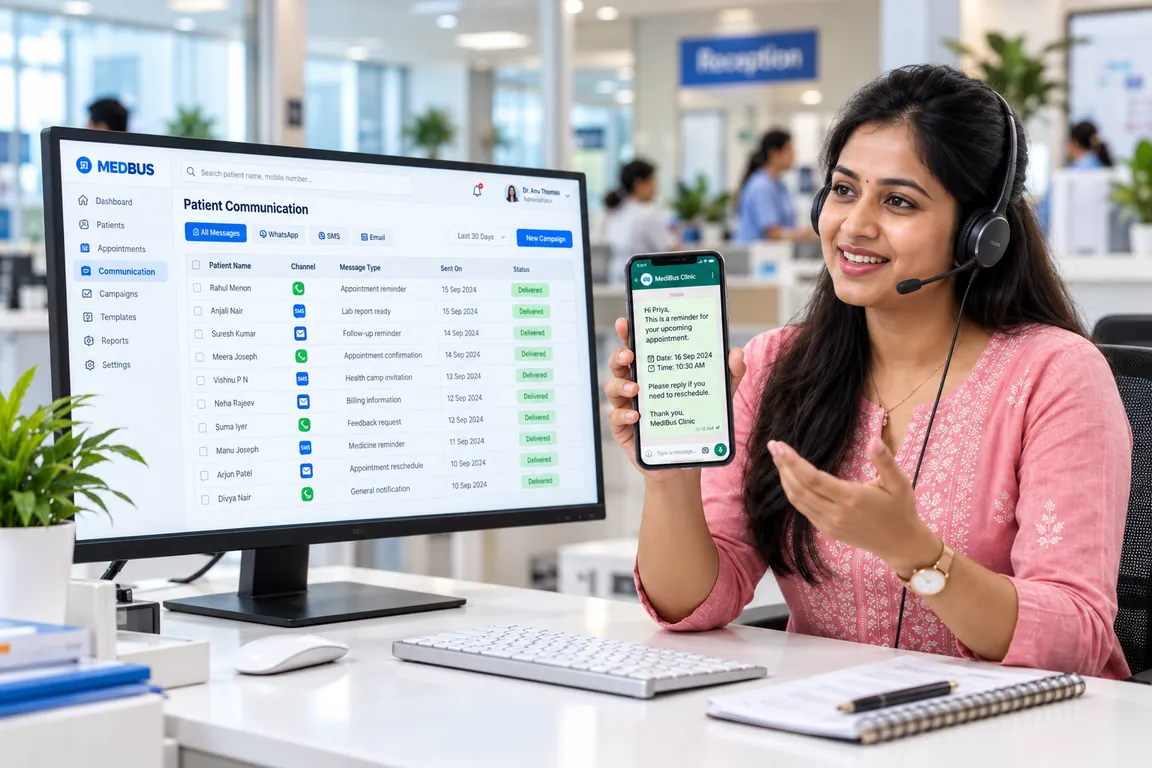
Why patients expect their records online
Patients now expect to see their reports and receipts on their phone, not to call the clinic and wait for a printout. A portal answers the most common front-desk calls automatically, helps patients with insurance claims and keeps them connected to your clinic between visits.
- Fewer calls for copies
- Patients arrive prepared
- Receipts ready for insurance
- Better attendance at reviews
- A modern experience under your brand
How Medbus makes Patient Portal better
-
Quieter front desk
Copy requests answer themselves.
-
Happier patients
Records on their phone, any time.
-
More reviews kept
Reminders and visit details in one place.
-
Stronger loyalty
Your clinic stays with them between visits.
How you can customise Patient Portal
Set up for your clinic during onboarding — no custom development, and you can change it later.
-
What patients can see
Choose which documents are shared — reports, prescriptions, receipts — and when.
-
Your branding
Clinic name, logo and colours on the portal and messages.
-
Reminder types & language
Which reminders go out, and in which language where configured.
-
Family accounts
Allow parents or caregivers to manage linked family members.
-
Consent settings
Record consent and control access in line with your clinic's privacy policy.
Works with the rest of Medbus
One patient record, every module connected- CRM & Patient Engagement Patient engagement software keeps a clinic in touch with patients between visits Learn more
- Teleconsultation Teleconsultation software lets doctors consult patients remotely by video Learn more
- WhatsApp API Integration WhatsApp Business API integration lets clinic software send messages automatically from the clinic's own verified What... Learn more
Frequently asked questions
Patient Portal FAQWhat can patients see in the Medbus patient portal?
Is the patient portal secure?
Can patients join teleconsultations from the portal?
Can parents manage their children's records?
Can we choose what is shared with patients?
Does the portal carry our clinic branding?
Last updated . Capabilities marked * or "where configured" depend on your plan, region and the modules enabled for your clinic.
See Medbus Patient Portal in action
Book a free walkthrough with a Medbus specialist. Tell us how your clinic works today and we will show you patient portal running on your own services, doctors and branches — along with the modules it connects to — before you choose a plan.
- No obligation, no setup fee
- A walkthrough of your specialty
- Reply within one working day
- Free onboarding and migration

Request your free demo
Tell us about your clinic — we'll set up a walkthrough around it.