Medbus is clinic management software built for the entire care team — doctors,
nurses, receptionists, lab technicians, pharmacists and administrators. Every
module is role-based, so each person sees exactly the patient data and tools
their job needs, and nothing else.
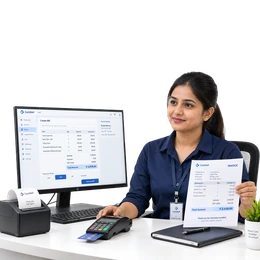
Receptionist
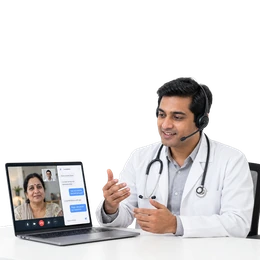
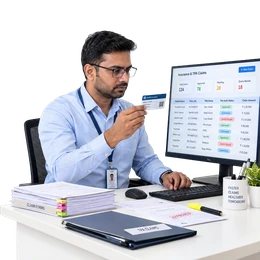
Doctor
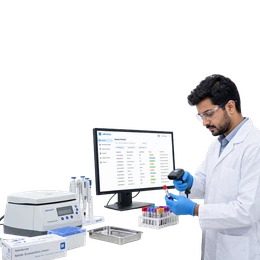
Lab Technician
Nurse
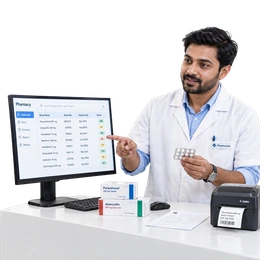
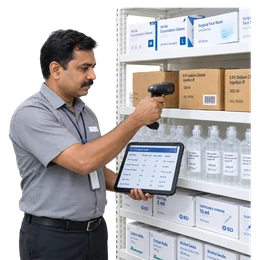
Pharmacist
Right accessSafer care
Permissions
DoctorsFull EHR
ReceptionBookings
Audit trail
Every change logged
Who, what and when
Access control
Role-based access control (RBAC) for clinics
Give the right people the right access. Role-based permissions keep patient
data secure and your clinic audit-ready, while letting doctors, nurses, the
front desk, the lab and the pharmacy collaborate on the same record.
Granular permissions per module and action
Role-based workflows for every job
Complete audit trail on every change
Secure, consent-based patient records
User roles
Permissions
View patient EHR
Allowed
Create prescriptions
Allowed
Order lab & radiology
Allowed
Manage billing
Not allowed
User administration
Not allowed
Record vitals & notes
Allowed
View care plans
Allowed
Assist in consultations
Allowed
Create prescriptions
Not allowed
Financial reports
Not allowed
Register patients
Allowed
Book & reschedule
Allowed
Collect fees & receipts
Allowed
Edit clinical records
Not allowed
View doctor analytics
Not allowed
Sample tracking
Allowed
Enter & verify results
Allowed
Upload reports to EHR
Allowed
Prescribe medication
Not allowed
Manage user roles
Not allowed
Dispense prescriptions
Allowed
Stock, batch & expiry
Allowed
Drug interaction alerts
Allowed
Edit diagnoses
Not allowed
Access full EHR
Not allowed
User & role management
Allowed
Module configuration
Allowed
Audit logs
Allowed
Reports & analytics
Allowed
Multi-branch settings
Allowed
Clinic software features
Every clinic workflow, in one clinic management software
Online appointment booking, electronic medical records, GST-ready billing,
pharmacy stock, lab reports, patient follow-ups, teleconsultation, MIS dashboards
and WhatsApp, payment gateway and email integrations —
Medbus runs them as one system on one patient record, so nobody on your team
types the same details into five different places.
Appointments & Scheduling
Online booking & queues
Appointment scheduling software with a smart clinic calendar, live doctor availability and token-based queue management.
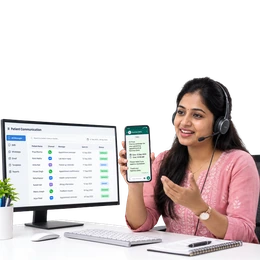
Connect your clinic to the official WhatsApp Business API and let patients book, get reminders, receive reports and pay — all on the app they already use every day. Messages go out automatically from the clinic system, so the front desk stops copy-pasting from a personal phone.*
Teleconsultation software built into the same clinic system — patients book an online slot, pay up front and join a secure video call from a link, with no app to install. The doctor consults from the familiar EMR screen, writes the e-prescription during the call and books the follow-up before hanging up. Every online visit lands on the same patient record, bill and reports as an in-person one, so remote care never becomes a separate set of files.
*WhatsApp messaging, payment gateways, teleconsultation and IP management depend on your plan and region.
Not sure which features your clinic needs?
Book a free demo and we will map them to your workflow.
Core modules
Clinic management software modules for every role
Everything your team needs, in one platform. Switch on only the modules your
clinic runs today and add the rest as you grow — from a single-doctor practice
to a multi-branch hospital OPD.
One dashboard
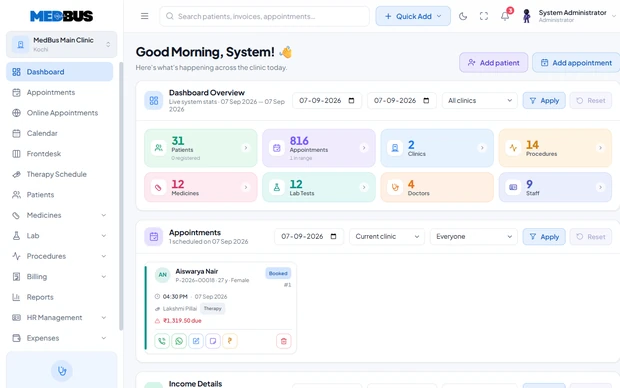
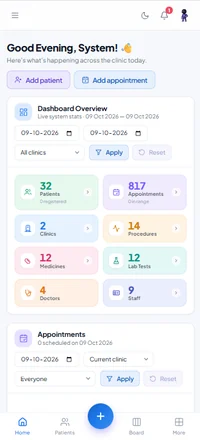
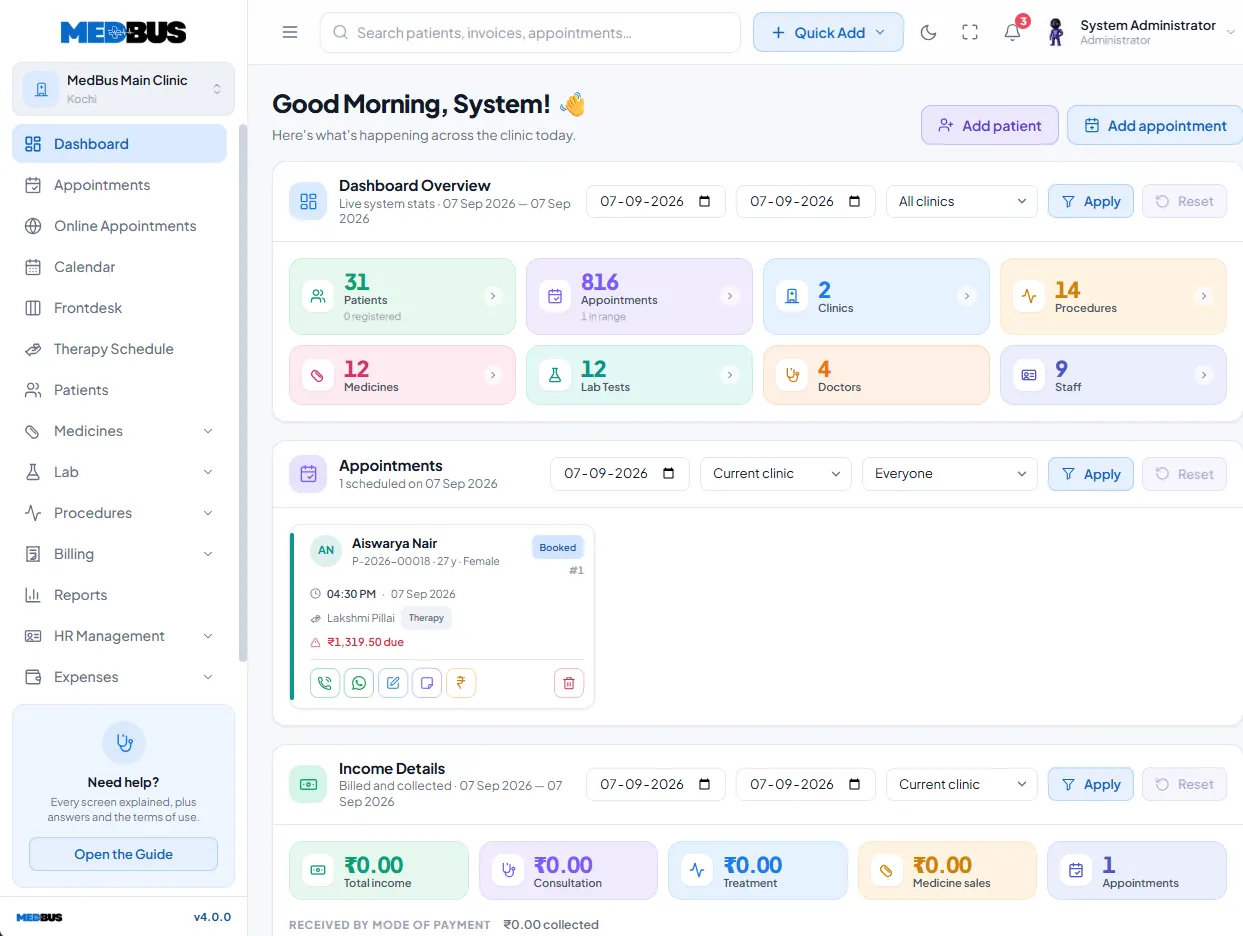
Every module reports into one clinic dashboard
Switch a module on and it starts feeding the same place — no separate
logins, no exports between systems, no re-typing a patient's details for
the lab and again for billing. The clinic dashboard pulls appointments,
consultations, lab orders, pharmacy sales and collections into a single
real-time view, so the front desk, the doctor and the owner are all
working from the same numbers.
Because access is role-based, that one view is filtered per person:
owners see revenue and branch performance, doctors see their own OPD list
and productivity, and the front desk sees today's queue. Multi-branch
clinics get every location side by side, with the option to drill into a
single centre without switching accounts.
One patient record shared across every module
Real-time clinic analytics — footfall, revenue and utilisation
Branch-wise comparison for multi-location practices
Doctor productivity and OPD performance reporting
Daily collection, GST and outstanding-balance summaries
Export any view to PDF or Excel for your accountant
15modules, switched on as you need them
1login for the whole care team
24-48 hrstypical go-live time
Looking for something specific? The
module list below covers EMR,
appointments, teleconsultation, lab, radiology, pharmacy, billing,
insurance claims, inventory and the patient portal.
User & role managementAdd a receptionist in a minute
Module activation & configurationSwitch on what this branch needs
Permission rules & audit logsProve who saw what, and when
Branch & department setupNew location, same system
Branch-wise revenue comparisonSee which centre carries you
Owner dashboards & exportsThe board pack, generated for you
*PACS/DICOM, insurance and TPA workflows depend on your plan and region.
Built for every specialty
17 clinic specialties. One platform.
The same modules, configured for how your specialty actually works —
consultation templates, procedure lists, report formats and billing heads
that match your practice instead of a generic clinic. Pick yours to see the
workflow in detail.
Not listed? Medbus is configurable rather than fixed —
tell us how your clinic runs and we will show you the
closest fit.
Our commitment
Committed to long-term success
Clinic software is a decade-long decision, not a one-off purchase. Choosing a
platform means trusting someone with your patient records, your billing and your
team's daily routine — so these are the four things we hold ourselves to for as
long as your practice runs on Medbus.
Reliable & secure by default
Encrypted records, daily backups and role-based access, built to stay up through your busiest OPD hours.
Continuous product improvement
Regular releases shaped by what clinics ask for. Customer requests go into the roadmap, not into a queue nobody reads.
Transparent communication
Clear pricing in rupees, honest timelines and a named person to call. No hidden per-appointment fees, no surprise renewals.
A long-term partnership
Assisted migration, hands-on onboarding and ongoing support from a team that knows Indian clinical practice.
Get in touch
Let's build a healthier tomorrow
Tell us which roles your clinic runs and we will map the modules to them
on a free call. Our team replies within one working day — usually much
sooner.
Ready to activate the right modules for
your clinic?
Book a free demo and see how Medbus works for your entire care team.
Simple setup, flexible modules, assisted migration and long-term support
— with no contract and no per-appointment commission.
01.What modules are included in Medbus clinic management software?
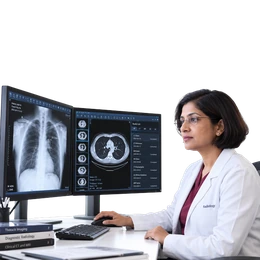
Medbus includes a comprehensive set of role-based modules covering every area of clinic operations: Admin/Super Admin for full system control, Front Desk for patient registration and queue management, Doctor for EHR and e-prescriptions, Nurse/Clinical Staff for care coordination, Laboratory for test processing and result delivery, Radiology for imaging orders and report management, Pharmacy for dispensing and inventory, Accounts/Billing for OP/IP billing and insurance workflows, Inventory and Procurement for stock management, and Management/Owner for revenue dashboards and analytics. Each module activates only the features relevant to that user role, keeping every staff member focused and efficient.
02.What is role-based access control (RBAC) in clinic software and why does it matter?
Role-based access control (RBAC) in clinic management software means that every user — doctor, nurse, receptionist, pharmacist, lab technician, or administrator — sees and can only interact with the features and data their specific role requires. In Medbus, RBAC is applied at the module level down to individual actions such as view, create, edit, approve, and delete. This matters for four critical reasons: it protects sensitive patient data from unauthorized access, it creates clear accountability for every action taken in the system, it speeds up daily workflows by removing irrelevant menu options, and it reduces errors caused by untrained staff accessing features outside their expertise.
03.Can I activate only the modules my clinic needs and add more later?
Yes. Medbus is built on a modular architecture that allows you to activate exactly the modules your clinic requires at any given time and expand as your practice grows. A solo GP clinic might start with just the Front Desk, Doctor, and Billing modules. As the practice grows and adds a pharmacy or in-house lab, those modules can be activated instantly without any system migration or downtime. Enterprise customers can also request custom module development for specialty-specific workflows not covered by the standard module set.
04.How does the Medbus doctor module support clinical workflows?
The Medbus Doctor module gives physicians a focused, distraction-free clinical workspace. Doctors can access complete patient EHR history, write consultation notes and diagnosis records using specialty-specific templates, generate digital e-prescriptions with drug database support and interaction checking, raise lab and radiology orders that auto-route to the respective departments, and view their personal appointment schedule and productivity analytics. The doctor module is designed so that a complete consultation — from opening the patient record to generating a prescription — takes under 3 minutes, even for complex multi-problem visits.
05.Does Medbus have a pharmacy module and how does it integrate with prescriptions?
Yes. The Medbus Pharmacy module integrates directly with the Doctor module through automatic prescription import. When a doctor generates an e-prescription, it appears instantly in the pharmacy queue without any manual data entry. The pharmacist can dispense medicines with automatic stock deduction, track batch numbers and expiry dates, manage purchase orders and vendor records, and generate detailed sales and inventory reports. The pharmacy module also alerts staff when medicines fall below reorder levels, preventing stock-outs that could interrupt patient care.
06.What does the Medbus laboratory module include for diagnostic labs?
The Medbus Laboratory module provides a complete lab information workflow integrated within the clinic management system. Lab technicians receive test orders raised by doctors in real time, manage a comprehensive test catalog, track sample collection and processing status, enter and verify results with appropriate quality controls, and auto-attach completed reports directly to the patient EHR. Results are also automatically notified to the ordering doctor and can be delivered to patients via WhatsApp, SMS, or email. The module supports barcode-based sample tracking and printable formatted lab reports for external sharing.
07.How does the Management/Owner module help clinic owners track performance?
The Medbus Management and Owner module provides clinic owners and administrators with real-time, high-level visibility into every aspect of clinic performance without requiring them to navigate individual operational modules. Owners can view revenue and collection dashboards updated in real time, track doctor-wise productivity and consultation volumes, monitor patient flow trends including new versus returning patient ratios and no-show rates, compare performance across multiple branches side by side, and export detailed reports to PDF or Excel for board meetings or financial reviews. All of this is available on mobile, allowing clinic owners to monitor their practice performance from anywhere.
Ready to modernize your clinic?
Pick your modules. Go live this week.
You do not have to buy the whole platform on day one. Start with the modules
your clinic runs today — front desk, doctor and billing is the usual first
three — and switch on lab, pharmacy, teleconsultation or the patient portal
whenever you are ready. Your data, your patients and your reports carry across
untouched, because it was one system all along.
1Tell us who works in your clinic
On a free 30-minute call we map your roles — doctors, nurses, front
desk, lab, pharmacy, accounts — to the modules and permissions each
one needs.
2See it on your own workflow
Not a canned tour. We load a sample of your services, price list and
doctor schedule so you are looking at your clinic, not ours.
3Assisted migration, included
Patient demographics, visit history, price lists and doctor profiles
are imported from paper, Excel or your current clinic software — at no
extra cost, on every plan.
4Go live in 24–48 hours
Most clinics are running within two working days; multi-branch
hospital OPDs take three to five. Training for the whole team is part
of onboarding.