
What is patient engagement software?
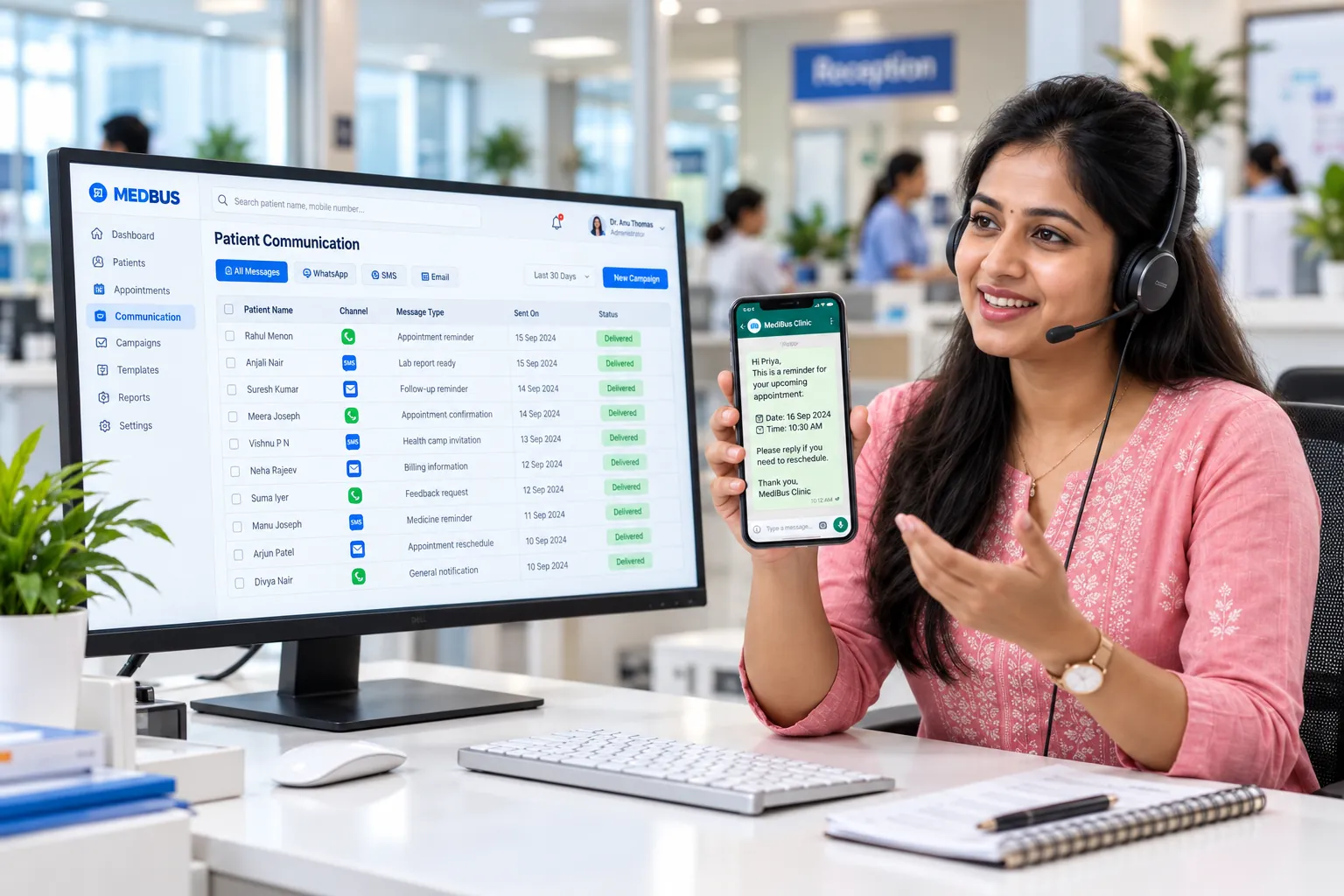
Patient engagement software keeps a clinic in touch with patients between visits. It sends follow-up and medication reminders, runs recall and health-check campaigns, shares reports and greetings, and records every message against the patient, so the clinic improves continuity of care and repeat visits without manual calling.
Explore the featuresKey takeaways
- More patients return for reviews
- Chronic-care patients stay on track
- No manual reminder calls
- Campaigns reach only the right patients
- Every message recorded against the patient
What Medbus CRM & Patient Engagement does for your clinic
8 capabilities, all on the same patient record as the rest of Medbus.
-
Automatic follow-up reminders
When the doctor sets a review date, the patient is reminded before it — no manual list.
-
Recall campaigns
Bring back patients due for an annual check-up, vaccination, dental clean or chronic-care review.
-
Patient segments
Filter by age, condition, last visit, doctor or branch to message exactly the right group.
-
WhatsApp, SMS & email
Send through whichever channel the patient uses, with approved WhatsApp templates where enabled.
-
Seasonal & health-day messages
Monsoon, flu-season or awareness-day campaigns scheduled in advance.
-
Birthday & greeting messages
Personal touches sent automatically from your clinic's name.
-
Feedback collection
Ask for feedback after a visit and see which doctors and services patients rate highly.
-
Delivery & response tracking
Every message is logged on the patient record with its delivery status.
CRM & Patient Engagement in Medbus, step by step
-
1
Segment patients
Pick a group — due for review, chronic care, or everyone seen last year.
-
2
Choose the message
Use a template or write your own, with the patient's name filled in.
-
3
Send or schedule
Send now or schedule by channel — WhatsApp, SMS or email.
-
4
Track & rebook
See delivery, replies and bookings that came from the campaign.
Why clinics lose patients without a CRM
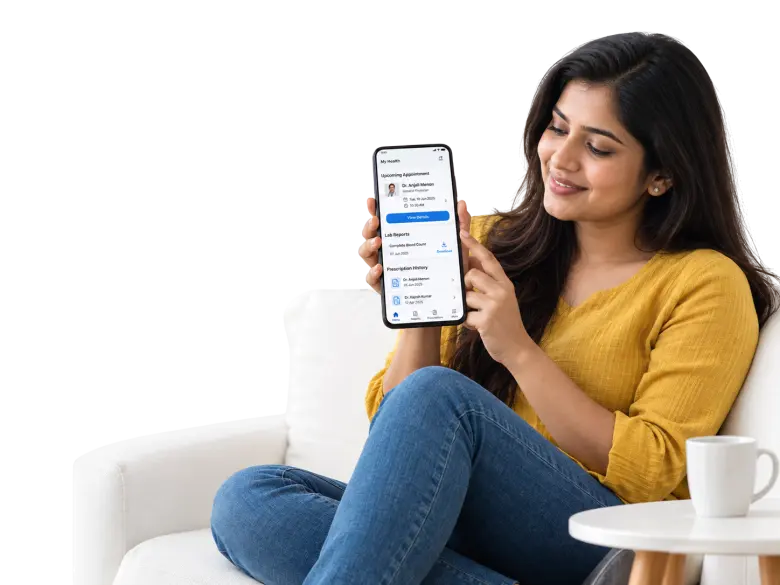
Most patients do not leave a clinic — they simply forget to come back. A review date written on a prescription is easy to miss. A clinic CRM turns every follow-up date, chronic condition and check-up cycle into a reminder that goes out on its own.
- More patients return for reviews
- Chronic-care patients stay on track
- No manual reminder calls
- Campaigns reach only the right patients
- Every message recorded against the patient
How Medbus makes CRM & Patient Engagement better
-
More repeat visits
Reviews and recalls are sent on time, every time.
-
Better continuity
Chronic-care patients are nudged before they drift.
-
Less phone work
Reception stops making reminder calls.
-
Measurable campaigns
See which messages led to bookings.
How you can customise CRM & Patient Engagement
Set up for your clinic during onboarding — no custom development, and you can change it later.
-
Patient segments
Your own filters — condition, last visit, doctor, branch.
-
Message templates
Your wording and branding for reminders and campaigns.
-
Recall rules
Review and check-up intervals by condition or service.
-
Channels
WhatsApp, SMS or email per message type.*
-
Opt-outs & consent
Respect patient preferences automatically.
Works with the rest of Medbus
One patient record, every module connected- WhatsApp API Integration WhatsApp Business API integration lets clinic software send messages automatically from the clinic's own verified What... Learn more
- Email Integration Email integration connects clinic software to an email service so messages are sent automatically when something happe... Learn more
- OP & Revisit Management OP (outpatient) management software handles everything about a clinic visit that does not involve admission: patient r... Learn more
Frequently asked questions
CRM & Patient Engagement FAQWhat can a clinic CRM do in Medbus?
Does Medbus send follow-up reminders automatically?
Can we send WhatsApp campaigns to patients?
How do we choose which patients receive a campaign?
Can we see whether messages were delivered?
Is patient consent handled for marketing messages?
Last updated . Capabilities marked * or "where configured" depend on your plan, region and the modules enabled for your clinic.
See Medbus CRM & Patient Engagement in action
Book a free walkthrough with a Medbus specialist. Tell us how your clinic works today and we will show you crm & patient engagement running on your own services, doctors and branches — along with the modules it connects to — before you choose a plan.
- No obligation, no setup fee
- A walkthrough of your specialty
- Reply within one working day
- Free onboarding and migration

Request your free demo
Tell us about your clinic — we'll set up a walkthrough around it.