
Clinic Inventory Management Software Consumables, Purchases & Stock Control
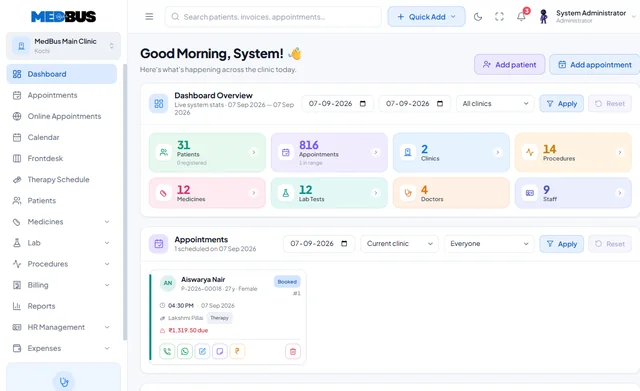
Medbus inventory keeps one register for everything the clinic owns and uses — consumables, supplies and assets. Reorder levels raise alerts before you run out, purchase orders and goods receipts reconcile in one place, batches and expiry are controlled, and usage reports show where stock actually goes.
- One register for all stock
- Reorder & low-stock alerts
- Purchase orders & GRN
- Batch & expiry control
- Free personalised demo
- No setup fee
- Onboarding & data migration included
What is clinic inventory management software?
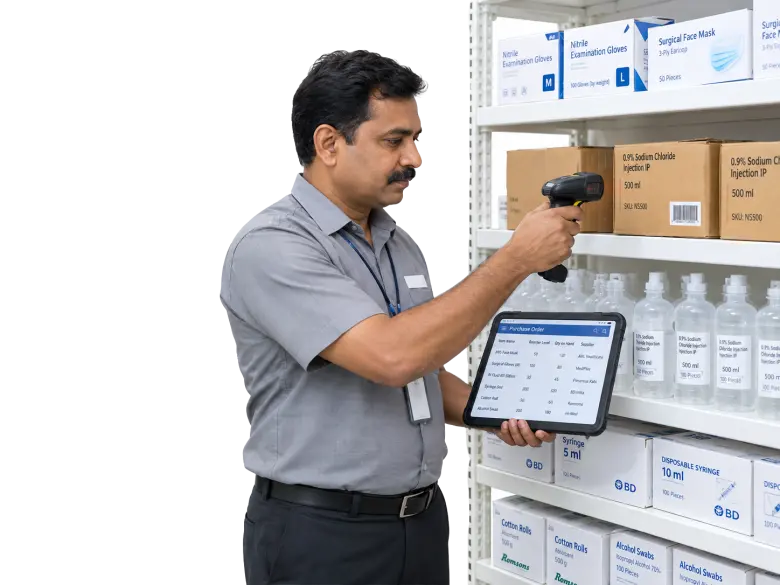
Clinic inventory management software tracks consumables, medical supplies and assets across stores and departments. It manages reorder levels, purchase orders, goods receipt, batches and expiry dates, and reports consumption, so the clinic neither runs out nor over-stocks.
Explore the featuresKey takeaways
- No surprise stock-outs
- Less wastage from expiry
- Purchases matched to invoices
- Clear usage by department
- Accurate stock value for accounts
What Medbus Inventory & Procurement does for your clinic
8 capabilities, all on the same patient record as the rest of Medbus.
-
Item, consumable & asset records
One register for supplies, consumables and equipment across every store.
-
Reorder levels & alerts
Set minimum levels per item and get told before you run out.
-
Purchase orders & GRN
Raise, receive and reconcile purchases against supplier invoices.
-
Batch & expiry control
First-expiry-first-out by default, with near-expiry alerts.
-
Department issues
Issue stock to departments, rooms or procedures and track who used what.
-
Vendor management
Supplier details, purchase history and pending payments.
-
Consumption reports
Usage by item, department and period — where the stock actually goes.
-
Stock valuation
Current stock value and wastage at a glance for your accounts.
Inventory & Procurement in Medbus, step by step
-
1
Stock received
Goods receipt against the purchase order and invoice.
-
2
Issued & used
Items issued to departments or consumed in procedures.
-
3
Alert raised
Low stock or near expiry flagged automatically.
-
4
Reordered
A purchase order raised to the right supplier.

Why clinics lose money on stock they cannot see
Expired consumables, emergency purchases at higher prices and supplies that quietly disappear all cost money a clinic never sees on its bills. When every receipt, issue and expiry is recorded, the owner knows what is in stock, what is used and what is wasted.
- No surprise stock-outs
- Less wastage from expiry
- Purchases matched to invoices
- Clear usage by department
- Accurate stock value for accounts
How Medbus makes Inventory & Procurement better
-
Always in stock
Reorder alerts arrive before shelves are empty.
-
Less wastage
Expiry-first picking and near-expiry alerts.
-
Tighter purchasing
Orders, receipts and invoices reconcile.
-
Visible consumption
See which departments use what.
How you can customise Inventory & Procurement
Set up for your clinic during onboarding — no custom development, and you can change it later.
-
Stores & departments
Your stores, rooms and departments, with stock held and issued separately.
-
Item categories & units
Your own categories, units of measure and pack sizes.
-
Reorder levels
Minimum and maximum levels per item and per store.
-
Approval steps
Who can raise, approve and receive purchase orders.
-
Procedure kits
Consumables that are issued together for a procedure, deducted in one step.
Works with the rest of Medbus
One patient record, every module connected- Pharmacy Management Clinic pharmacy management software runs an in-house dispensary: it receives prescriptions from the doctor, dispenses... Learn more
- Procedure Management Procedure management software schedules and documents clinical procedures in a clinic or day-care unit Learn more
- Accounts Management Clinic accounting software records a practice's income and expenses, doctor and staff payouts, vendor payments and ban... Learn more
Frequently asked questions
Inventory & Procurement FAQWhat does clinic inventory software track?
Can Medbus alert us before stock runs out?
Is inventory different from the pharmacy module?
Can we track consumables used in procedures?
Does Medbus manage purchase orders and GRN?
Can we see stock value and wastage?
Last updated . Capabilities marked * or "where configured" depend on your plan, region and the modules enabled for your clinic.
See Medbus Inventory & Procurement in action
Book a free walkthrough with a Medbus specialist. Tell us how your clinic works today and we will show you inventory & procurement running on your own services, doctors and branches — along with the modules it connects to — before you choose a plan.
- No obligation, no setup fee
- A walkthrough of your specialty
- Reply within one working day
- Free onboarding and migration

Request your free demo
Tell us about your clinic — we'll set up a walkthrough around it.