
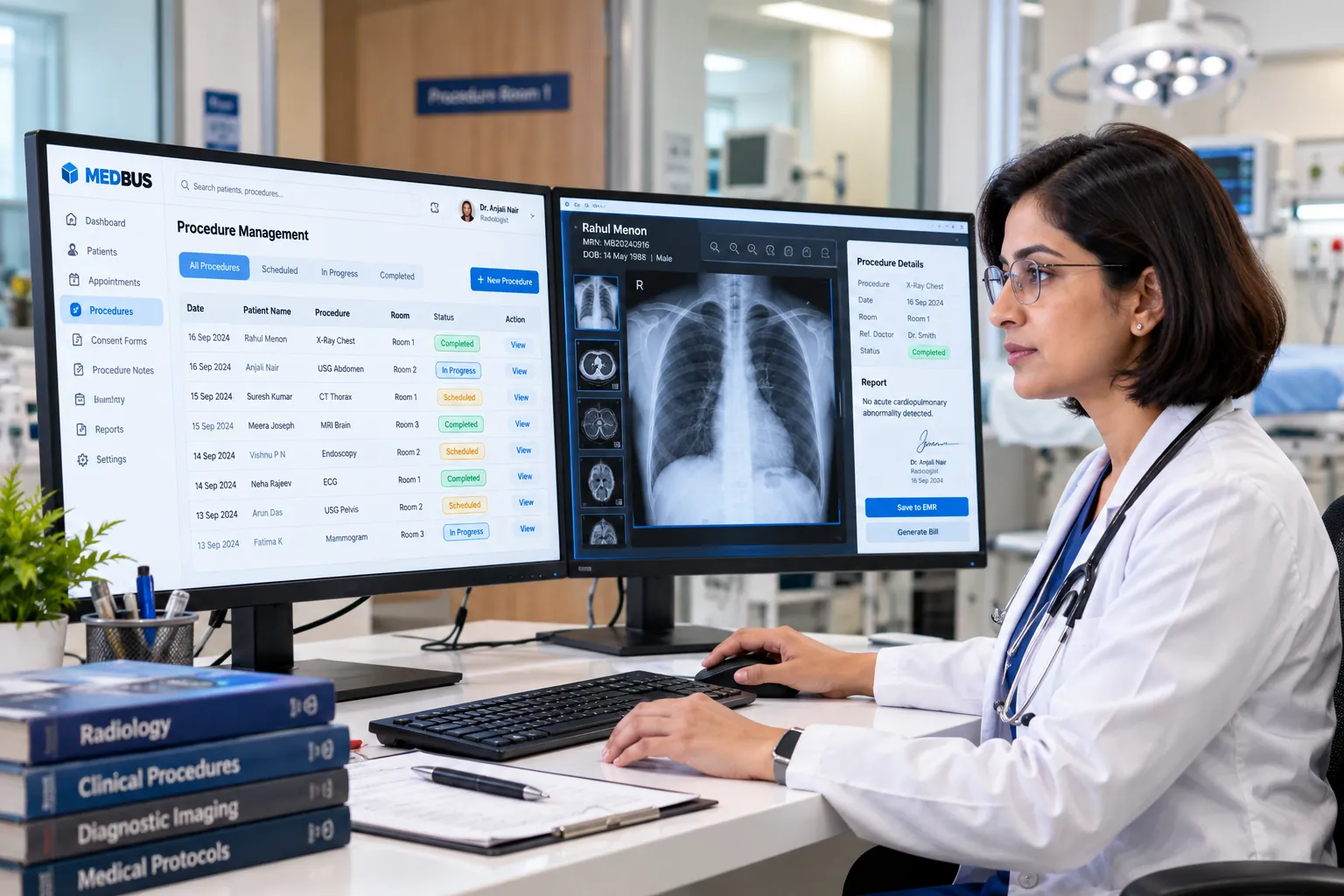
What is procedure management software?
Procedure management software schedules and documents clinical procedures in a clinic or day-care unit. It books procedure rooms, staff and equipment, records informed consent digitally, captures pre-procedure checks and procedure notes in the patient record, and links the procedure and consumables to the bill.
Explore the featuresKey takeaways
- No room or equipment double-booking
- Consent always signed and stored
- Every consumable billed
- Complete procedure notes on the record
- Follow-ups scheduled automatically
What Medbus Procedure Management does for your clinic
8 capabilities, all on the same patient record as the rest of Medbus.
-
Room & slot scheduling
Book the procedure room, doctor, assistant and equipment in one slot — no clashes.
-
Digital consent forms
Procedure-specific consent forms signed on a tablet, stored on the patient record.
-
Pre-procedure checklist
Investigations, fasting status, allergies and vitals confirmed before the procedure starts.
-
Procedure notes
Templates per procedure for findings, steps, materials used and post-procedure advice.
-
Consumables & implants
Record materials and implants used, with batch details, and reduce stock automatically.
-
Auto-linked billing
The procedure, packages and consumables flow straight onto the patient's bill.
-
Before & after images
Attach clinical photographs to the record where the specialty needs them.
-
Post-procedure follow-up
Dressing, suture removal or review visits scheduled with reminders.
Procedure Management in Medbus, step by step
-
1
Procedure booked
Room, doctor and equipment reserved together.
-
2
Consent & checks
The patient signs consent; pre-procedure checks are confirmed.
-
3
Procedure documented
Notes, materials and images recorded in the EMR.
-
4
Billed & followed up
Charges post to the bill; the review is scheduled.

Why procedures need more than an appointment
A procedure involves a room, a team, consent, materials and a follow-up — each tracked separately on paper. When any one is missed, the patient waits, a consumable goes unbilled or a consent form cannot be found. One procedure workflow keeps all of it together.
- No room or equipment double-booking
- Consent always signed and stored
- Every consumable billed
- Complete procedure notes on the record
- Follow-ups scheduled automatically
How Medbus makes Procedure Management better
-
Better room utilisation
Procedure rooms are booked like doctors, so gaps are visible.
-
Complete documentation
Consent, checks and notes are on the record every time.
-
No revenue leakage
Consumables and implants are billed as they are used.
-
Smoother recovery
Post-procedure visits are booked and reminded.
How you can customise Procedure Management
Set up for your clinic during onboarding — no custom development, and you can change it later.
-
Procedure catalogue
Your procedures, durations, rooms and rates.
-
Consent templates
Procedure-specific consent forms with your wording.
-
Note templates
Findings, steps and advice fields per procedure.
-
Procedure kits
Consumables issued and billed together for each procedure.
-
Follow-up schedule
Default review and dressing intervals per procedure.
Works with the rest of Medbus
One patient record, every module connected- IP Management IPD (in-patient department) management software handles patients admitted to a clinic or hospital: admission, bed and... Learn more
- Billing & Invoicing Clinic billing software creates invoices for consultations, procedures, tests, packages and pharmacy sales, records pa... Learn more
- Electronic Medical Records (EMR) EMR (electronic medical records) software replaces paper case files with a digital patient record Learn more
Frequently asked questions
Procedure Management FAQCan Medbus capture patient consent digitally?
How does procedure scheduling work in Medbus?
Are procedure charges added to the bill automatically?
Can we track implants and consumables used in procedures?
Which clinics use procedure management?
Can procedure notes use templates?
Last updated . Capabilities marked * or "where configured" depend on your plan, region and the modules enabled for your clinic.
See Medbus Procedure Management in action
Book a free walkthrough with a Medbus specialist. Tell us how your clinic works today and we will show you procedure management running on your own services, doctors and branches — along with the modules it connects to — before you choose a plan.
- No obligation, no setup fee
- A walkthrough of your specialty
- Reply within one working day
- Free onboarding and migration

Request your free demo
Tell us about your clinic — we'll set up a walkthrough around it.