
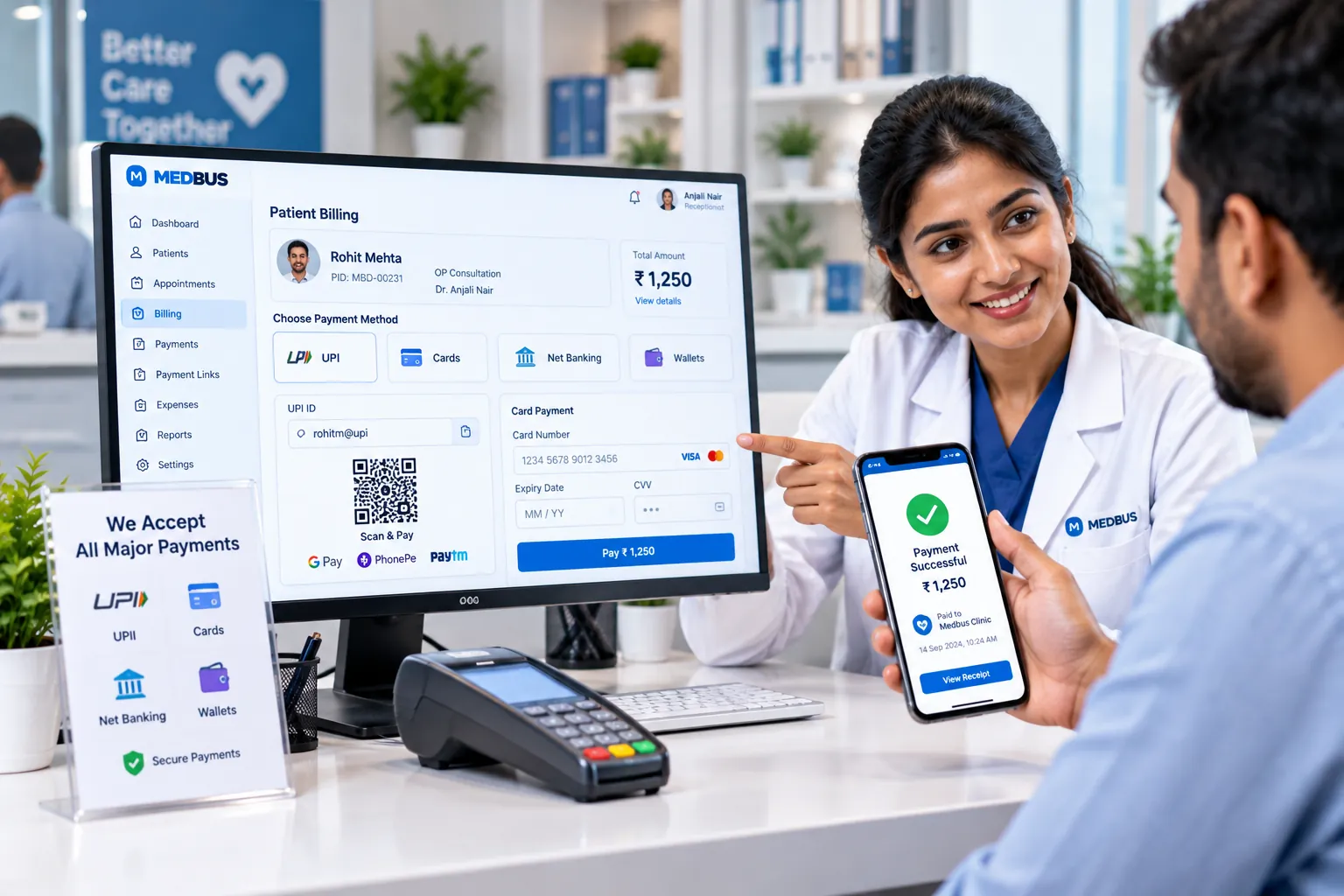
What is a payment gateway integration for clinics?
A payment gateway integration connects clinic software to a payment provider such as Razorpay or Stripe, so patients can pay online by UPI, card, net banking or wallet. Payments made through links, online booking or teleconsultation are automatically recorded against the right invoice, without manual entry or reconciliation.
Explore the featuresKey takeaways
- Paid-up bookings with fewer no-shows
- No matching UPI screenshots to bills
- Faster collection of outstanding dues
- Overseas and NRI patients can pay by card
- Clean, reconciled collection reports
What Medbus Payment Gateway Integration does for your clinic
8 capabilities, all on the same patient record as the rest of Medbus.
-
Razorpay & Stripe
Connect your own merchant account from Settings → Integrations — no developer needed.
-
Every online payment mode
UPI, credit and debit cards, net banking and wallets through Razorpay; international cards through Stripe.
-
Payment links
Send a secure link for any bill by SMS, WhatsApp or email; the invoice updates when it is paid.
-
Prepaid appointments
Ask for payment at online booking to secure the slot and cut no-shows.
-
Teleconsultation fees
Collect before the video consultation so the doctor never chases a fee.
-
Advances & deposits
Collect procedure or admission advances online and adjust them on the final bill.
-
Auto-reconciliation
Each payment is matched to its invoice with the gateway's transaction reference.
-
Online refunds
Refund through the gateway with the refund recorded against the original invoice.
Payment Gateway Integration in Medbus, step by step
-
1
Connect gateway
Link your Razorpay or Stripe account in Settings.
-
2
Send or request
A payment link, booking or teleconsult asks the patient to pay.
-
3
Patient pays
By UPI, card, net banking or wallet on any device.
-
4
Invoice updates
The payment is matched and the receipt is sent automatically.

Why clinics should take payments online
Chasing fees after a teleconsultation, holding slots for patients who never arrive and matching UPI screenshots to bills all cost staff time and money. A gateway built into the clinic system takes payment where it is easiest for the patient and records it where your accounts need it.
- Paid-up bookings with fewer no-shows
- No matching UPI screenshots to bills
- Faster collection of outstanding dues
- Overseas and NRI patients can pay by card
- Clean, reconciled collection reports
How Medbus makes Payment Gateway Integration better
-
Faster collections
Patients pay from a link in seconds.
-
Fewer no-shows
Prepaid slots are kept.
-
Zero manual reconciliation
Payments match invoices automatically.
-
Wider reach
Teleconsult and NRI patients pay online.
How you can customise Payment Gateway Integration
Set up for your clinic during onboarding — no custom development, and you can change it later.
-
Your gateway
Connect your own Razorpay or Stripe merchant account.
-
Prepaid rules
Which bookings and teleconsults require payment up front.
-
Payment link messages
Your wording and channel for payment links.
-
Refund approvals
Who can issue online refunds.
-
Receipt format
Your branding on payment receipts.
Works with the rest of Medbus
One patient record, every module connected- Billing & Invoicing Clinic billing software creates invoices for consultations, procedures, tests, packages and pharmacy sales, records pa... Learn more
- Teleconsultation Teleconsultation software lets doctors consult patients remotely by video Learn more
- WhatsApp API Integration WhatsApp Business API integration lets clinic software send messages automatically from the clinic's own verified What... Learn more
Frequently asked questions
Payment Gateway Integration FAQWhich payment gateways does Medbus support?
Can clinics send payment links to patients?
Can patients pay when booking an appointment online?
Are there extra charges for online payments?
Does Medbus share patient records with the payment gateway?
Are online payments reconciled automatically?
Last updated . Capabilities marked * or "where configured" depend on your plan, region and the modules enabled for your clinic.
See Medbus Payment Gateway Integration in action
Book a free walkthrough with a Medbus specialist. Tell us how your clinic works today and we will show you payment gateway integration running on your own services, doctors and branches — along with the modules it connects to — before you choose a plan.
- No obligation, no setup fee
- A walkthrough of your specialty
- Reply within one working day
- Free onboarding and migration

Request your free demo
Tell us about your clinic — we'll set up a walkthrough around it.